
June 18, 2026
Vibe Coding Launch Checklist: What to Check Before Real Users Arrive
A practical launch-readiness checklist for vibe coders, indie hackers, and SaaS founders who are close to launch and want a final sanity check before real users arrive.
Vibe coding makes it easier than ever to build and launch a SaaS product fast. That is the fun part.
The risky part is that a product can look finished before it is actually ready for real users.
The homepage works. The signup flow is live. The dashboard looks good. Maybe payments already work. But behind the scenes, there may still be tracking scripts firing too early, missing privacy disclosures, exposed secrets, public API routes without protection, weak upload handling, or deployment settings that accidentally leak private values.
This checklist is for vibe coders, indie hackers, and SaaS founders who are close to launch and want a practical final sanity check.
It is not legal advice and it is not a full security audit. It is a launch-readiness checklist for the things that are easy to forget when you build fast.
The quick launch-readiness test
Before you launch, ask four questions:
1. Does the site load optional tracking, analytics, pixels, or non-essential browser storage before the user has made a valid choice?
2. Does the privacy policy describe what the app actually does?
3. Are protected routes, public endpoints, and uploads handled safely?
4. Are secrets, keys, and private values kept out of the browser, repo, and logs?
If the answer is “I am not sure” to any of these, check it before you promote the product.
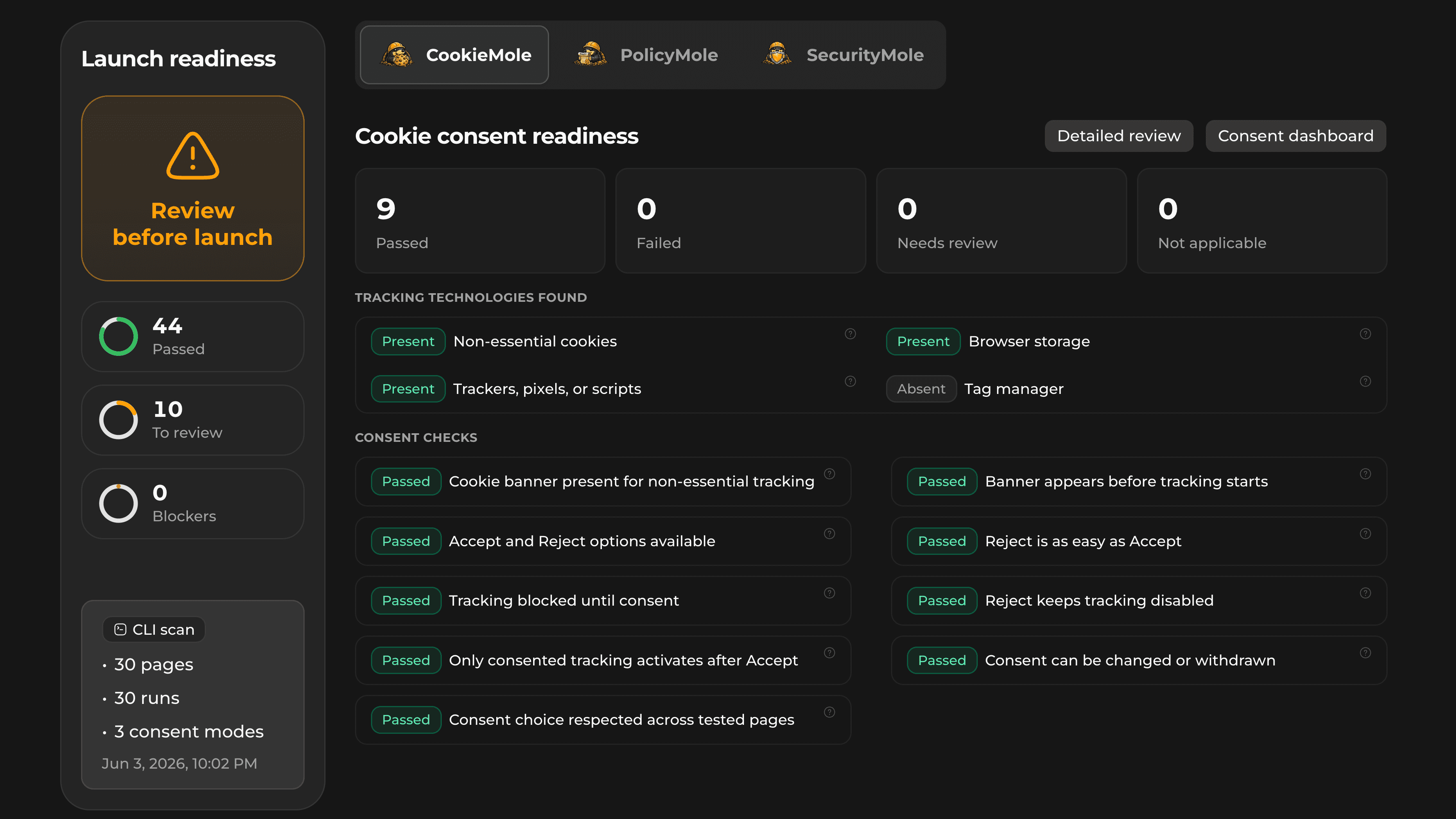
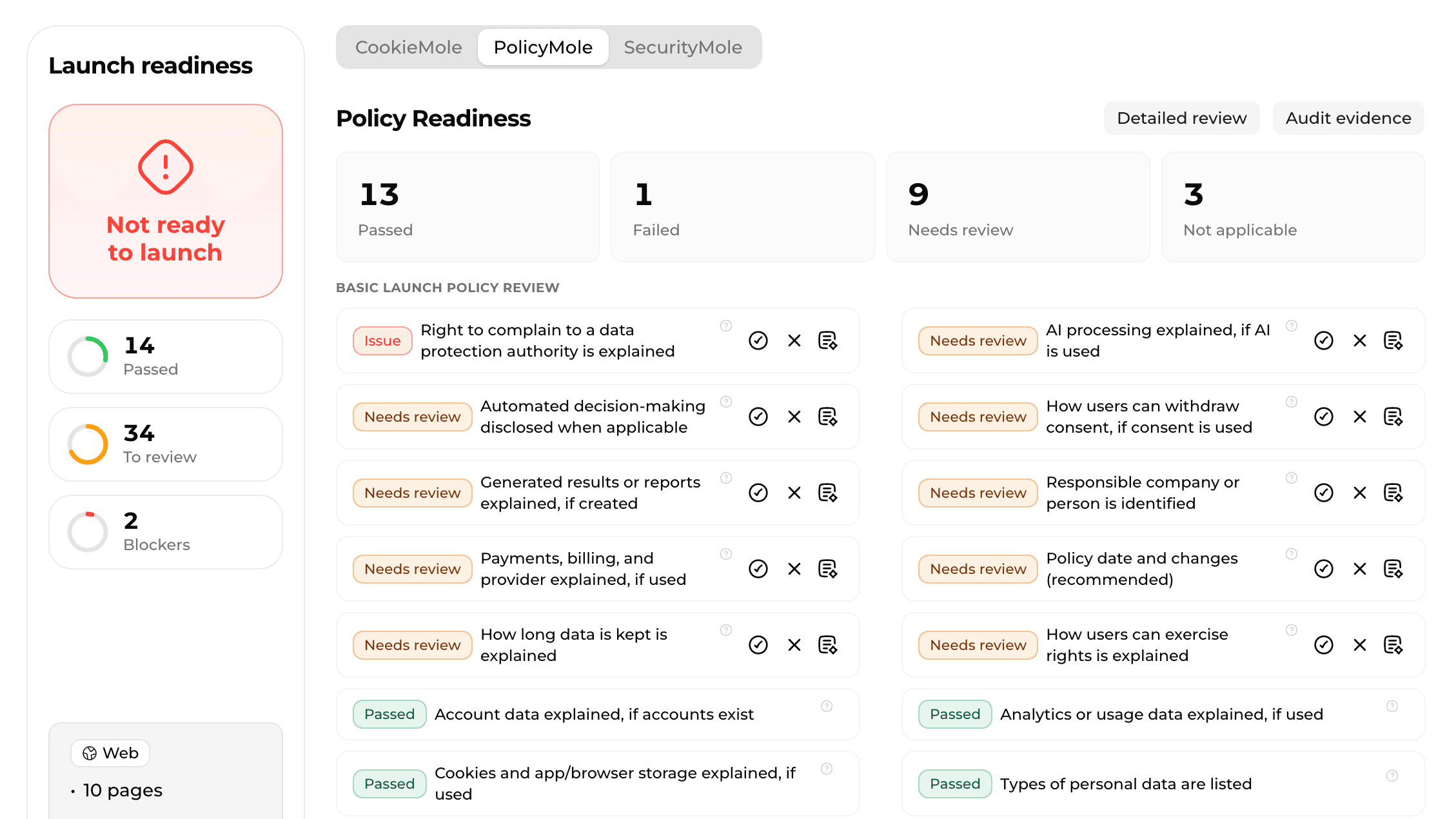
That is exactly what VibeMole is built for. CookieMole checks cookies, storage, trackers, and consent behavior. PolicyMole checks whether your privacy policy covers the data your app actually processes. SecurityMole checks common launch risks such as exposed secrets, public endpoints, headers, CORS, uploads, Docker, dependencies, and CI/CD leaks.

The most common mistake is having a banner that looks fine visually, but tracking has already started before the user makes a choice.
A good consent setup is not about decoration. It is about behavior.
2. Privacy policy checks
A privacy policy should describe the product you actually shipped, not the product you planned to build.
This matters especially for vibe-coded SaaS apps because they often connect several services quickly: authentication, payments, analytics, AI providers, databases, email tools, file uploads, hosting, error tracking, and support widgets.
Before launch, your privacy policy should explain:
- Who is responsible for the app
- How users can contact you about privacy
- What categories of personal data you collect
- Why you process that data
- Which legal bases apply where required
- Which processors or third-party services receive data
- Whether you use analytics, cookies, or browser storage
- Whether users upload files, prompts, screenshots, messages, or other content
- Whether your app generates reports, scans, summaries, or AI output
- Whether AI providers process user data
- Whether data is transferred internationally
- How long data is kept
- Which privacy rights users have
- How users can request deletion, correction, access, or withdrawal of consent
- How policy changes are communicated
The biggest privacy-policy problem is usually mismatch.
For example, the app uses AI but the policy does not mention AI processing. The app stores generated reports but the policy only talks about account data. The app loads analytics but the policy says nothing about tracking. The app accepts uploaded files but the policy does not explain uploaded content.
That mismatch is what makes a product feel unfinished.

3. Security checks before launch
Security problems in vibe-coded apps usually come from speed, not bad intent.
You generate code, connect services, paste examples, deploy quickly, and move on. That workflow is powerful, but it can also leave behind dangerous defaults.
Before launch, check:
- Are API keys, tokens, private keys, database URLs, or service credentials committed?
- Are authentication secrets or session secrets hardcoded?
- Are server-only secrets exposed to browser code?
- Are privileged backend keys kept server-side?
- Do browser SDKs only use public or limited-scope credentials?
- Are protected areas really protected, or only hidden in the UI?
- Are public endpoints intentionally public?
- Do signup, contact, AI, upload, scan, payment, and email endpoints have abuse protection?
- Are webhook signatures verified when webhooks are used?
- Are security response headers configured?
- Is CORS restricted to trusted origins?
- Are uploads limited, validated, and stored safely?
- Are production source maps reviewed?
- Are placeholder secrets removed?
Do not rely on “nobody knows this URL.” If a route or endpoint exists, assume someone can find it.
A hidden admin link is not authentication. A public AI endpoint without limits is not a launch shortcut. A service key in frontend code is not a small issue.
4. Dependency, Docker, and deployment checks
Launch readiness is not only about the website. Your repo and deployment pipeline matter too.
Before launch, check:
- Does the project have a lockfile?
- Is exactly one package lockfile used?
- Are dependency install scripts reviewed?
- Are .env files excluded from version control?
- Does .env.example avoid real secrets?
- If Docker is used, does a .dockerignore file exist?
- Does the Docker build context exclude secrets and local files?
- Does the final Docker image avoid running as root?
- Do CI/CD workflow files avoid hardcoded secrets?
- Do CI/CD logs avoid printing secret-like values?
- Are private values kept out of frontend builds?
These are not glamorous checks, but they prevent embarrassing launch problems.
Many early products do not fail because of one huge flaw. They fail because small risky defaults were never cleaned up.
5. What not to overthink before launch
Not every issue should block your first release.
Do not spend days polishing legal wording while your app behavior is still wrong. Do not add a cookie banner without checking whether tracking is actually blocked. Do not write a long privacy policy that does not match your product. Do not obsess over enterprise security while service keys are exposed or public endpoints have no limits.
Focus on the basics that affect trust:
- Tracking before consent
- Missing or inaccurate privacy policy
- AI processing not disclosed
- Uploaded content not explained
- Exposed secrets
- Public endpoints without protection
- Weak upload handling
- Missing security headers
- Broad CORS
- Private values leaking into frontend builds
This is the practical standard for an early SaaS launch: not perfect, but not careless.
Final vibe coding launch checklist
Use this before you promote your product.
Cookies and tracking
- Optional tracking is known and documented
- Browser storage is reviewed
- Trackers, pixels, scripts, and tag managers are checked
- A consent banner or equivalent consent mechanism appears when optional tracking requires consent
- Tracking waits until consent where required
- Accept and Reject are both available
- Reject is as easy as Accept
- Reject keeps optional tracking disabled
- Consent can be changed or withdrawn
- Consent persists across important pages
Privacy policy
- The privacy policy exists and is easy to find
- The responsible company or person is named
- A privacy contact is provided
- Data categories are explained
- Account, payment, uploaded, and generated data are covered
- Analytics, cookies, and browser storage are covered
- AI processing is explained where used
- Processing purposes and legal bases are stated where required
- Processors and third-party recipients are explained
- International transfers are explained where relevant
- Retention periods or criteria are included
- User rights and request methods are explained
- Consent withdrawal is explained
- Policy date and update process are included
Security
- API keys, tokens, private keys, and credentials are not committed
- Authentication and session secrets are not hardcoded
- Server-only secrets are not exposed to browser code
- Admin and service keys stay server-side
- Protected routes require real authentication
- Public endpoints are intentionally public
- High-risk endpoints have abuse protection
- Webhooks verify signatures where used
- Security headers are configured
- CORS is restricted
- Uploads have size limits, type validation, and safe storage rules
- Environment files are excluded from version control
- CI/CD workflows and logs do not expose secrets
- Private values are not injected into frontend builds

Check your launch with VibeMole
VibeMole helps vibe coders and SaaS founders check what they actually shipped before real users arrive.
CookieMole checks cookies, storage, trackers, tag managers, banners, and consent behavior.
PolicyMole checks whether your privacy policy explains the real data flows in your app, including AI processing, uploaded content, generated reports, analytics, retention, user rights, and third-party providers.
SecurityMole checks exposed secrets, public endpoints, authentication risks, abuse protection, security headers, CORS, uploads, dependencies, Docker, and CI/CD leaks.
If you built fast, run one final sanity check before you launch.
Sources
- Google Search Central, “Creating helpful, reliable, people-first content.”
- GDPR Article 13, information to be provided when personal data is collected from the user.
- European Data Protection Board, consent guidance under Regulation 2016/679.
- CNIL, "Refusing cookies should be as easy as accepting them."
- OWASP Top 10, web application security risks.
- GitHub Docs, secret scanning and hardcoded credential detection.
- MDN Web Docs, Content Security Policy header.
- MDN Web Docs, X-Content-Type-Options header.
- OWASP File Upload Cheat Sheet.
- OWASP Web Security Testing Guide, CORS testing.